
Time tracking "via Roster" is the standard setting in Papershift. This means that a time tracking will automatically be created when an employee has been assigned to a shift.
If an employee should record their time differently, you can change the settings of the time tracking method as follows:
Click on the man with the suit and tie icon on the left-hand side of the menu → you can see the type of time tracking that has been selected for that employee in the "time tracking" column.
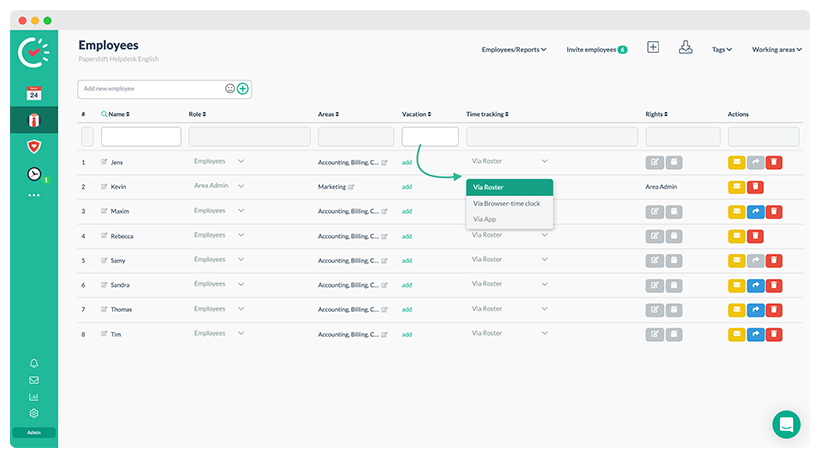
To change this, click on the time tracking method in the employee's row to open a drop-down menu and choose the method of time tracking.